
How to use
Easy Guide to Creating & Earning from Affiliate Links
Paste a product URL to create an earning link.
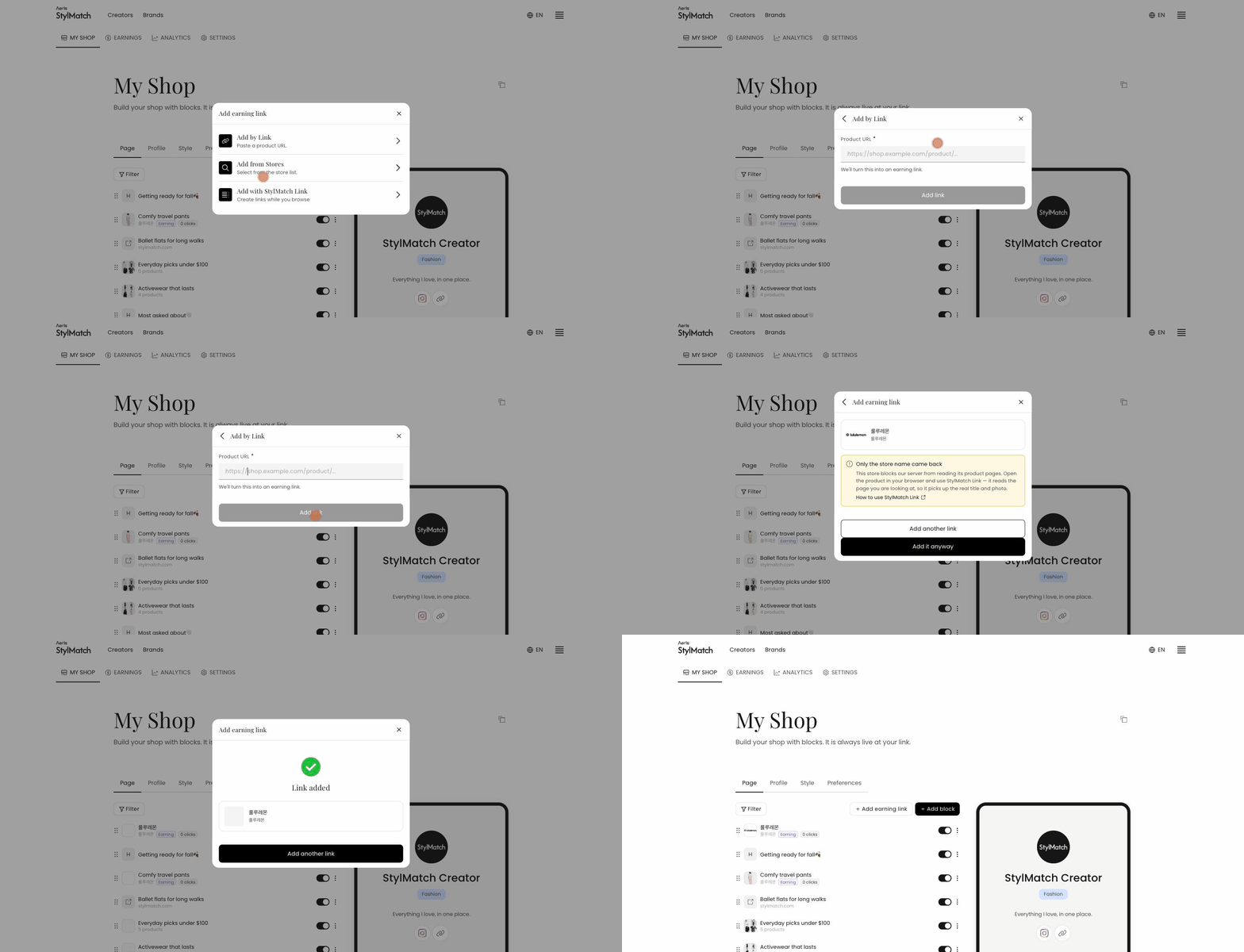 Use this method when you already have the product page.
- In My Shop → Page, click + Add earning link.
- Select Add by Link.
- Paste the product URL and click Add.
Conversion takes around 20 seconds. Please keep the window open until the Converting… message disappears.
Once converted, the link is added to My Shop automatically. You do not need to create a block — it appears at the top of your list and in the preview on the right. To move it, drag the handle on the left.
If the link cannot be converted
Links cannot be created for stores we are not partnered with, for home or category pages rather than product pages, or for pages that require a login. In these cases, check Add from Stores to confirm whether the store is available.