
How to use
Easy Guide to Creating & Earning from Affiliate Links
Adding links from stores
Browse partner stores and add products directly.
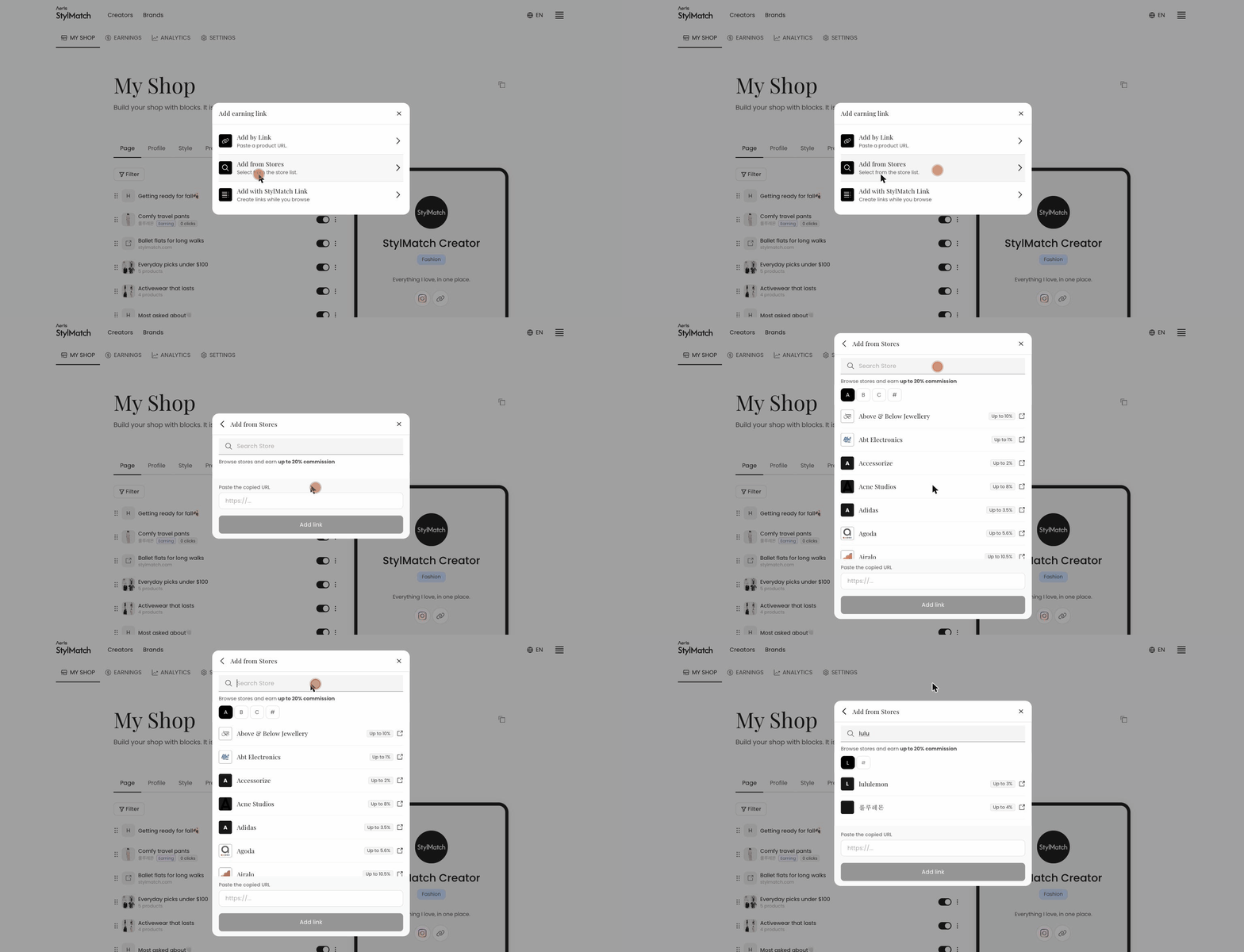 Use this method when you have not yet decided what to add.
- In My Shop → Page, click + Add earning link.
- Select Add from Stores.
- Browse the list of partner stores and choose one.
- Use + Add block → Earning link to place the new link on your page.
Each store displays its estimated commission. Please review this before selecting, as stores listed at 0% are included — choosing one without checking will create a working link that earns nothing.