
How to use
Easy Guide to Creating & Earning from Affiliate Links
Editing your profile
Set your name, bio, photo, and social channels.
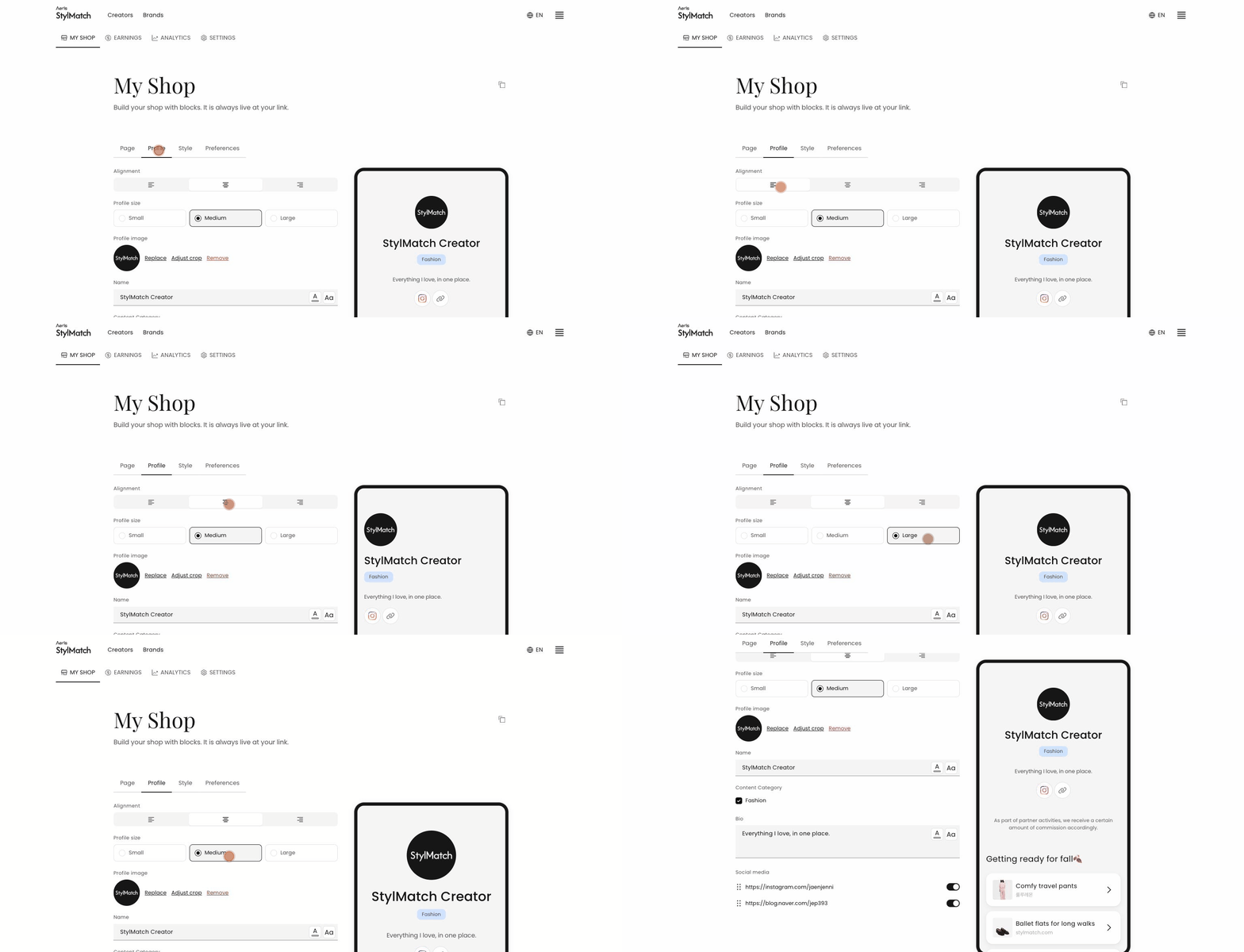 Edit your profile in My Shop → Profile. There is no save button — changes appear in the preview on the right immediately.
- Profile image —
Replace,Adjust crop, orRemove - Name — use the adjacent icons to change the text colour and size
- Bio — a short introduction. Colour and size can be adjusted as with your name
- Content Category — your channel's topic, shown as a tag on your page
- Social media — Instagram, YouTube, TikTok, and other addresses. Only the fields you complete appear as icons
- Alignment / Profile size — alignment and size (Small / Medium / Large)